Welcome to DCC Demo Con! The first thing you'll need to do is register for a free TableTop Events account if you don't have one already. There will be a 'Log In' link in the top right corner and after clicking it, you'll select a Username, add an email address, and create a password. Now your all set to attend your first virtual convention!
A virtual RPG convention like DCC Demo Con is a gathering of players who play a roleplaying game online in a virtual space like Discord, Zoom, or Teams. You'll be introduced to Dungeon Crawl Classics by an experienced judge (what we call a DM) who will walk you through the mechanics of how to play DCC. Ask questions and have fun!
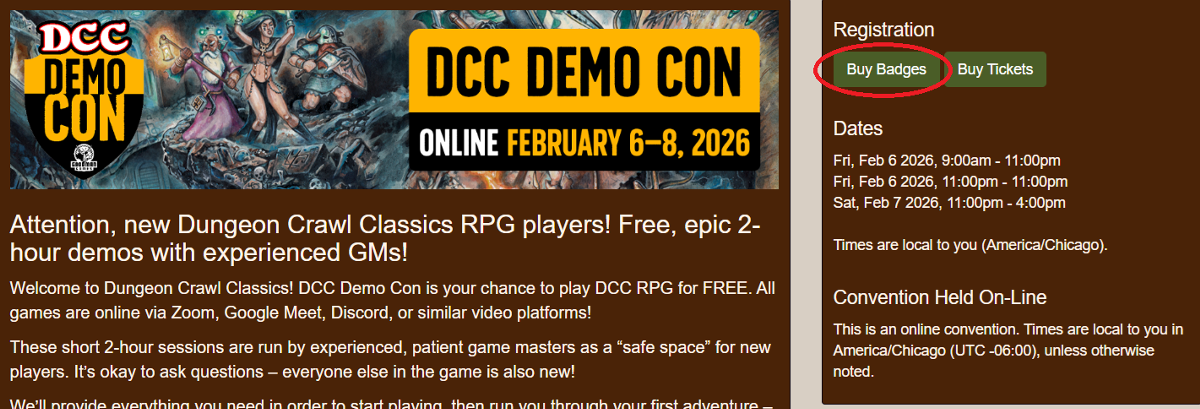
Now you're ready to grab a badge so you can pick a demo game to play in. On the front page of the DCC Demo Con website you'll see a green box on the right hand column that says 'Buy Badge'. The badges for DCC Demo Con are completely FREE but you still have to go through the process of "buying" it so the system can assign you a badge.
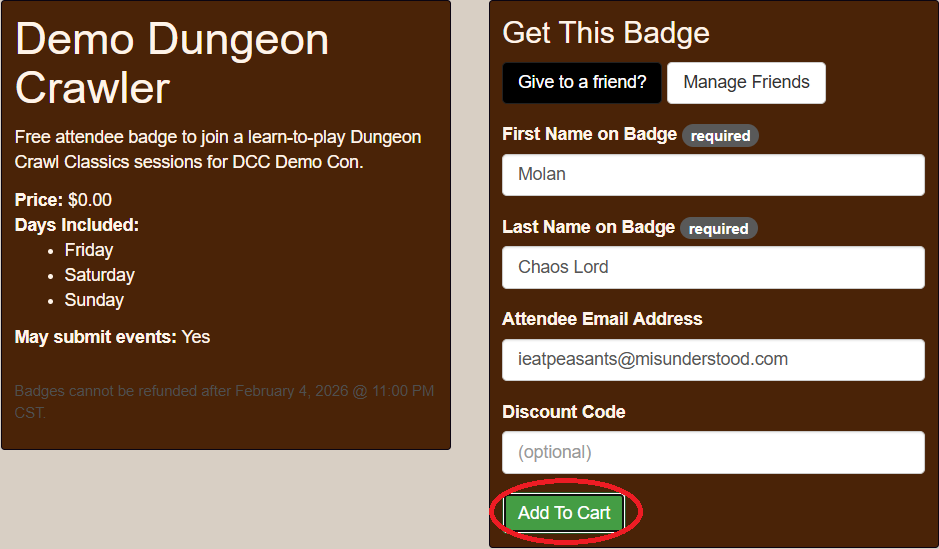
The next screen will show the available badge types, which in this case will be Demo Dungeon Crawler, and have a green box to the far left that will say 'Get' or 'Buy'. Since our badges are free, they will say 'Get'. You'll be able to see the price to the far right side. For a Demo Dungeon Crawlers badge the cost will appear as $0.00.

The next step will be to fill out the necessary information to assign your badge. This will be your First and Last Names, your email address you used to create your TableTop Events (TTE) account, and a discount code if you have one. The dates of the convention will be on the left side. After you have filled the details into the required fields, click on the green box that says 'Add to Cart'.
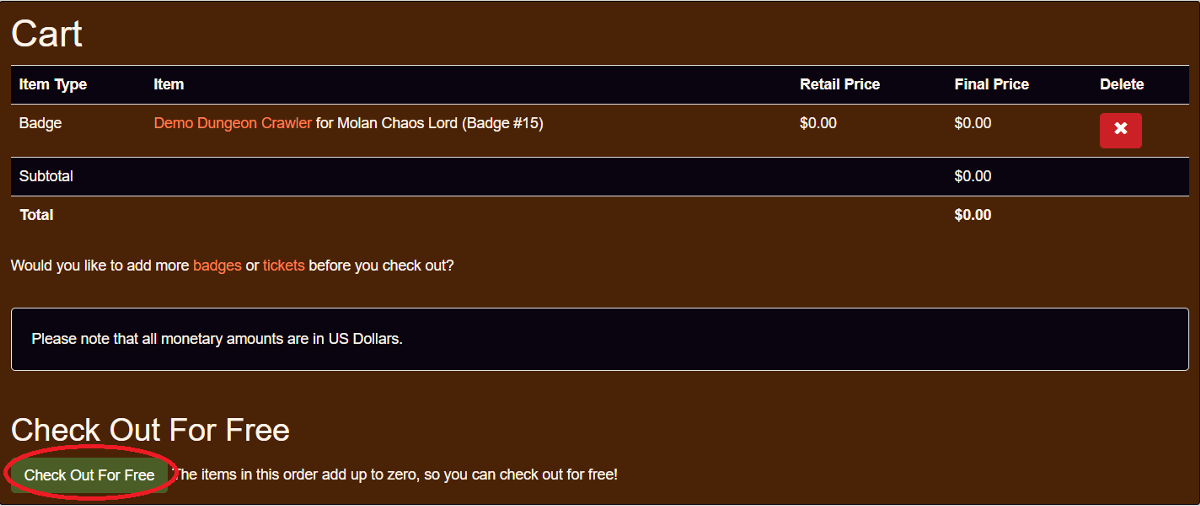
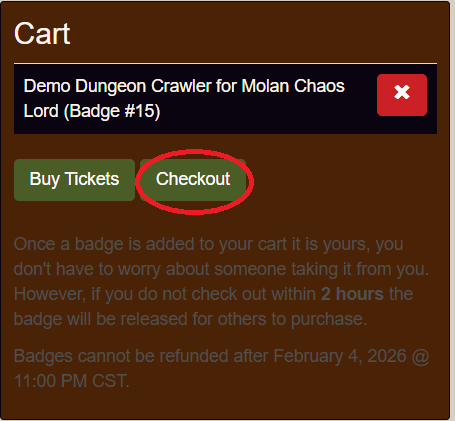
The next webpage will be the cart with your added badge. Adding a badge to the cart doesn't automatically assign it to you. You have to be sure to complete the transaction by "checking out" each time items are added to your cart. Badges and Tickets that have been added to the cart will be automatically released in two hours if the transaction hasn't been completed. Click on the green button that says 'Checkout' to finish your badge purchase.
The last step shows the summary of your purchase. Your badge type will be listed there with your name and the badge number that has been assigned to you. The right column will show the price for the badge and any associated processing fees or taxes for your badge purchase. For DCC Demo Con your total will be $0.00!
Now just click on the green 'Check Out for Free' button in the bottom left and your ready to select a DCC Demo Game to learn how to play Dungeon Crawl Classics! Congratulations, you've take your first step on the path to adventure!