How to sign up for a DCC Demo game!
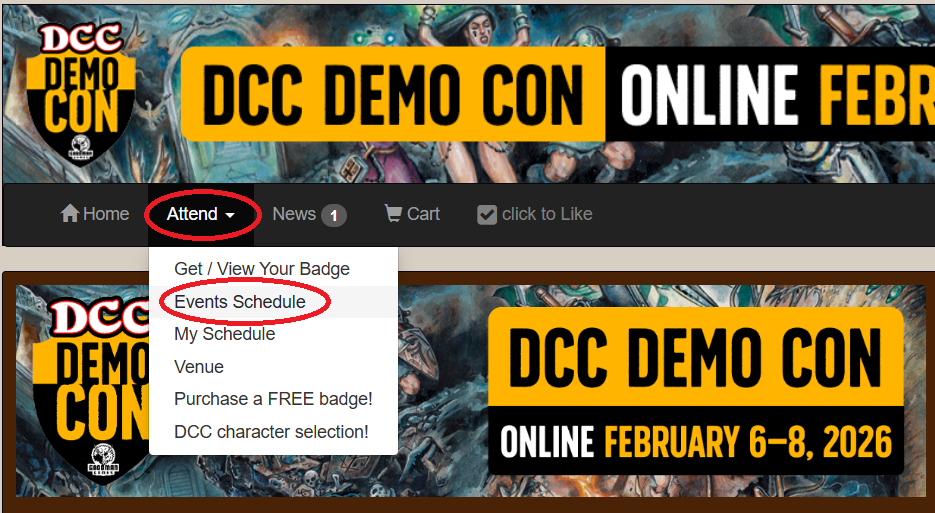
Once you have a free badge for DCC Demo Con, it's time to select which demo event you would like to play in. You can see a list of all the events for DCC Demo Con by clicking the 'Attend' header and accessing the dropdown menu. Then you'll click on 'Events Schedule'. There are other helpful options as well like 'My Schedule' which will show you all the games you are signed up to play or run. This is very helpful when you have a convention that spans over several days with multiple events, like Dungeon Con.
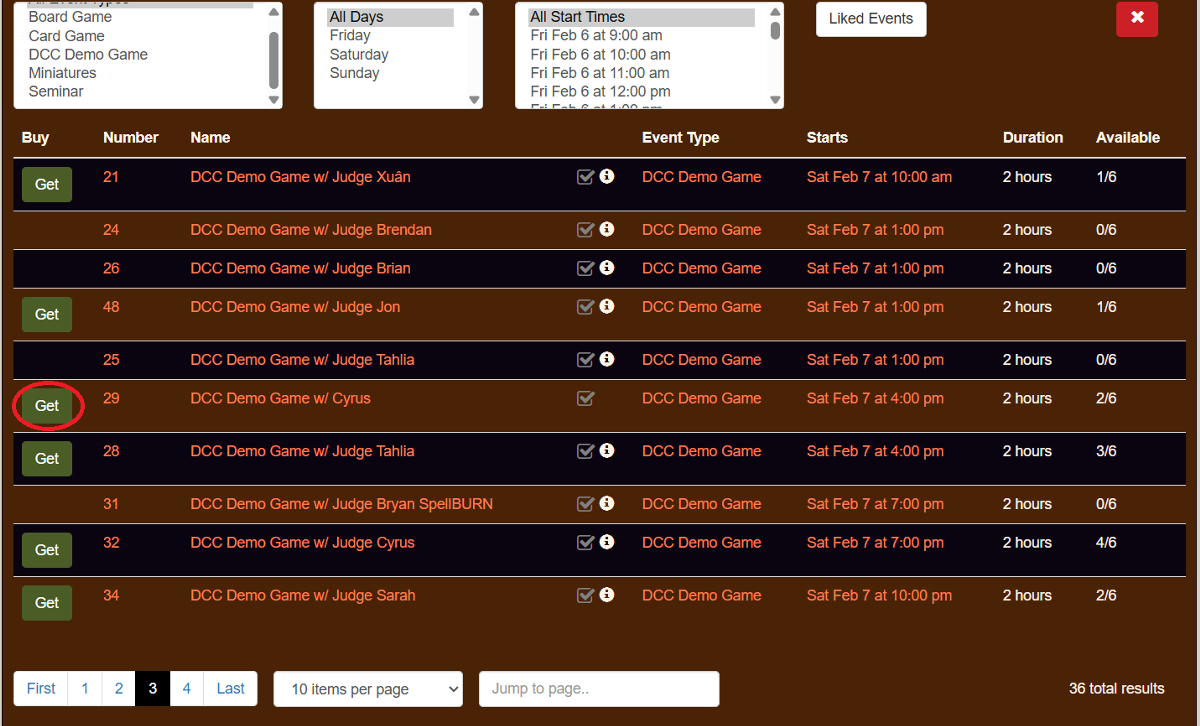
After selecting 'Events Schedule', a list of all the available events will appear, showing 10 events per page. The column on the left will have a 'Get' option if there are tickets available for that listed event. Further to the right will be the name of the event and the time that the event will take place. The last two columns show how long the event will be and how many tickets are available. For this example, we are going to select the game on Saturday at 5:00pm ET. with Judge Cyrus.
*Important note: TTE will display the time of the events in your specific Time Zone. If you’re unsure when the game will be taking place, send a message to your Judge or message grapeapetx on Discord or by email at grapeape@goodman-games.com.
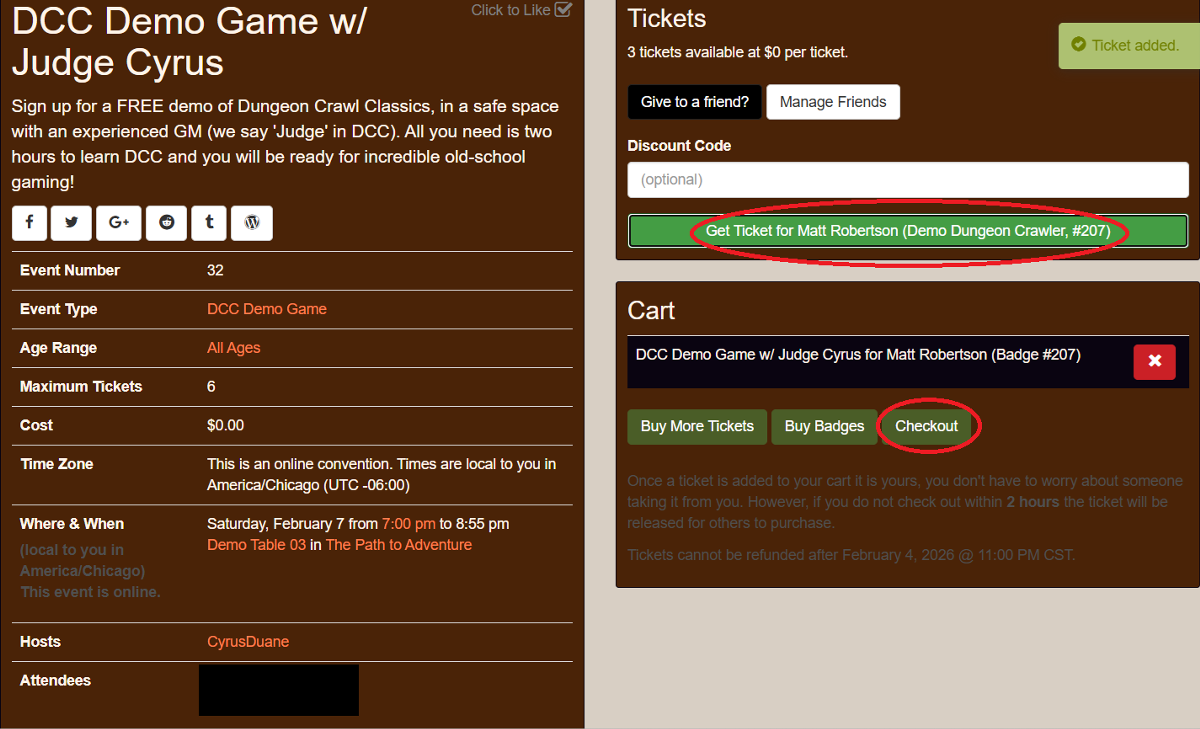
Now we can see the details of the event including the age range, the host or Judge, and the cost for the event, if there is one. For DCC Demo Con, all the events are free! We can select a ticket by clicking the ‘Get Ticket for Your Name Here’ button. That will put it into our cart so we can checkout. Now we click on ‘Checkout’ to complete our selection.
*Important note: Once a ticket is added to your cart, you are NOT assigned to that event until after you complete the ‘Checkout’ process. TTE will hold a ticket in your cart for two hours before releasing back into the available queue.
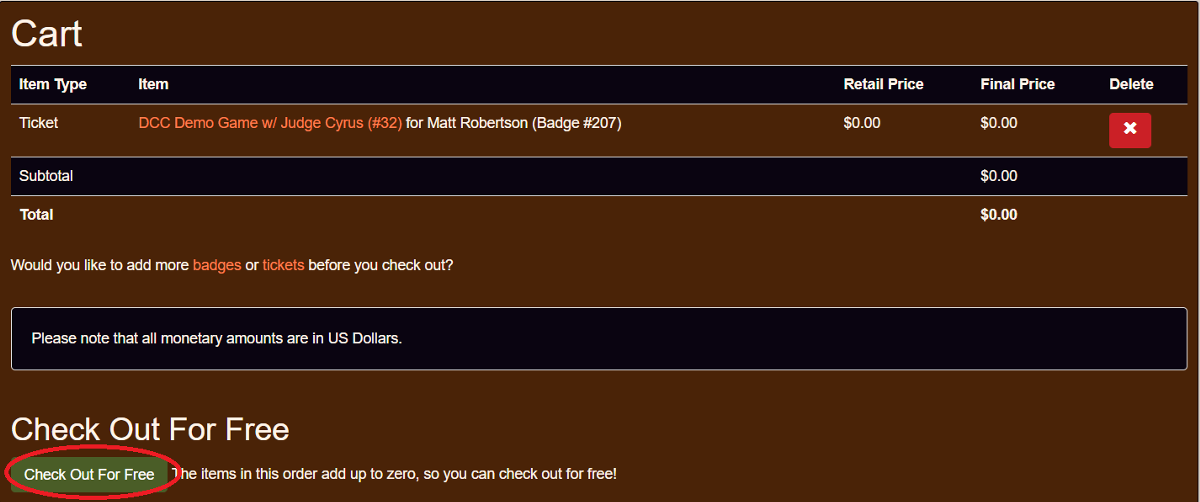
You’ll be brought to a summary page which will list all the event tickets in your cart and any associated fees that might come with them. To finalize our registration for the game, we’ll select ‘Check Out for Free’ in the bottom left corner. (If you're wondering why checkout got split into two words, you're not alone!)
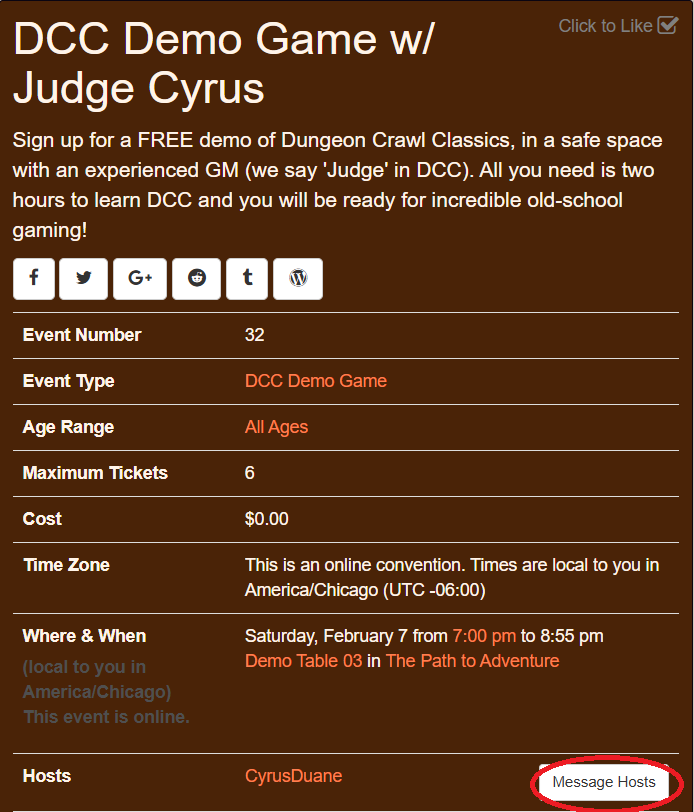
Now you’ve got a seat at the table! You're all set up to enjoy your first game of Dungeon Crawl Classics! If you have any questions or concerns, you can message your host by selecting the event using the process above and now you will see an option next to the hosts name to message them. Click the ‘Message Hosts’ option to send them a message asking what time the game will start, if they can send you the link for where the game will be, or just to say thanks for running an amazing game after the con.